
Bulk Update 365 Group members
In this guide, you will learn how to bulk update 365 group members using the 365 Pro Toolkit.
How to
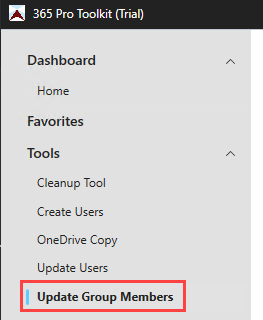
Section titled “How to”Step 1. Click on Tools > Update Group Members
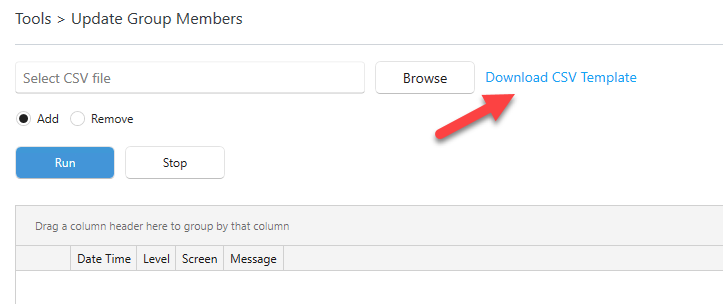
Step 2. Click on “Download CSV Template” to download the needed CSV Template.
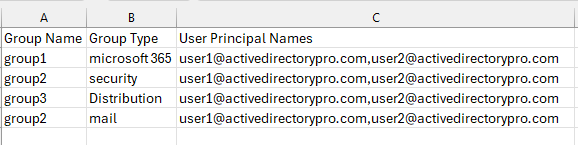
Step 3. Fill out the CSV with groups and member details.
Columns and descriptions:
- Group Name: This is the name of the group you want to update
- Group Type: The group type, enter one of the following:
- Microsoft 365
- Security
- Distribution
- User Principal Names: The UPN of the member to add or remove to the group. Seperate multiple UPNs with a comman.
CSV Example
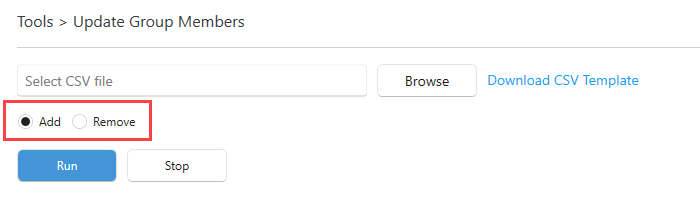
Step 4. Select “Add” or “Remove”
- Add = Add users to groups
- Remove = Reove users from groups
Step 5. Select your CSV Template and click “Run”.
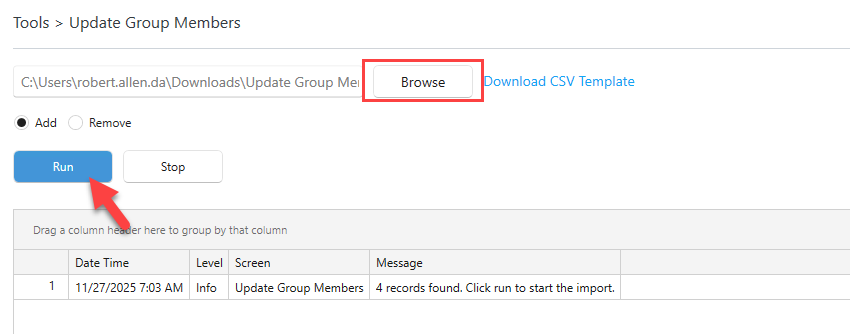
When completed check the log for errors.