
Active Directory Computer Reports with AD Pro Toolkit
Active Directory Computer Reports provide comprehensive visibility into all computer objects within your domain. By pulling real-time data directly from Active Directory, the reports offer detailed insights into operating systems, logon history, password status, delegation settings, and organizational unit placement.
How to run Computer Reports
Section titled “How to run Computer Reports”- Click Reports > Computers Reports
- Select a report and click the “Run” button
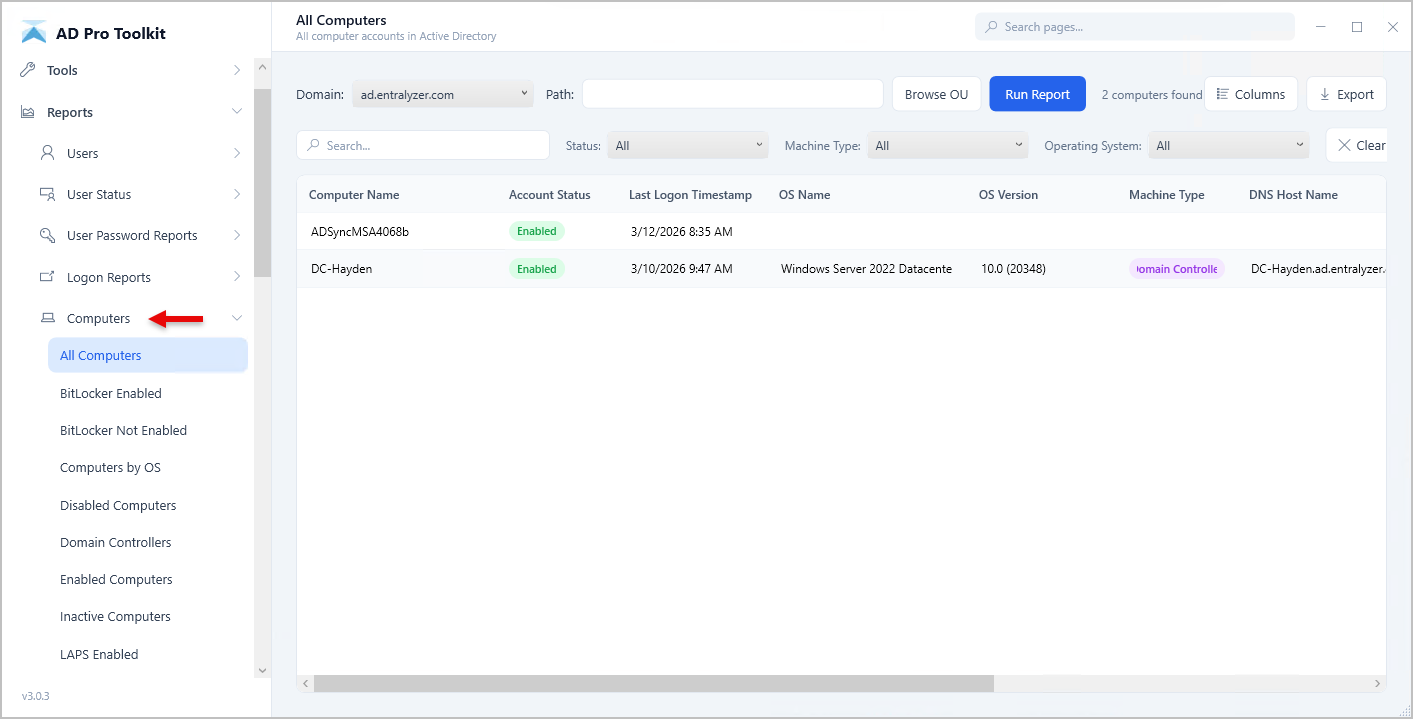
List of Included Computer Reports
Section titled “List of Included Computer Reports”| Report | Description |
|---|---|
| All Computers | All computer accounts in the domain |
| Enabled Computers | Computer accounts that are enabled |
| Disabled Computers | Computer accounts that are disabled |
| Domain Controllers | All domain controllers in the domain |
| Servers | Server operating systems (Server 2016, 2019, 2022, etc.) |
| Workstations | Client operating systems (Windows 10, 11, etc.) |
| Computers By OS | Computers grouped by operating system version |
| Inactive Computers | Computers that haven’t logged on in 90+ days |
| Never Logged On Computers | Computers that have never authenticated |
| Recently Created Computers | Computers created in the last 30 days |
| Recently Deleted Computers | Deleted computers in the AD recycle bin |
| Recently Modified Computers | Computers modified in the last 30 days |
| Managed Computers | Computers with a managed by value set |
| Unmanaged Computers | Computers without a managed by value |
| Protected Computers | Computers protected from accidental deletion |
| Not Protected Computers | Computers not protected from accidental deletion |
| BitLocker Computers | Computers with BitLocker recovery keys stored in AD |
| BitLocker Not Enabled | Computers without BitLocker recovery keys in AD |
| LAPS Enabled | Computers with LAPS (Local Admin Password Solution) enabled |
| LAPS Not Enabled | Computers without LAPS configured |
| LAPS Passwords | Computers with their LAPS managed passwords |
| Trusted For Delegation Computers | Computers trusted for unconstrained delegation |