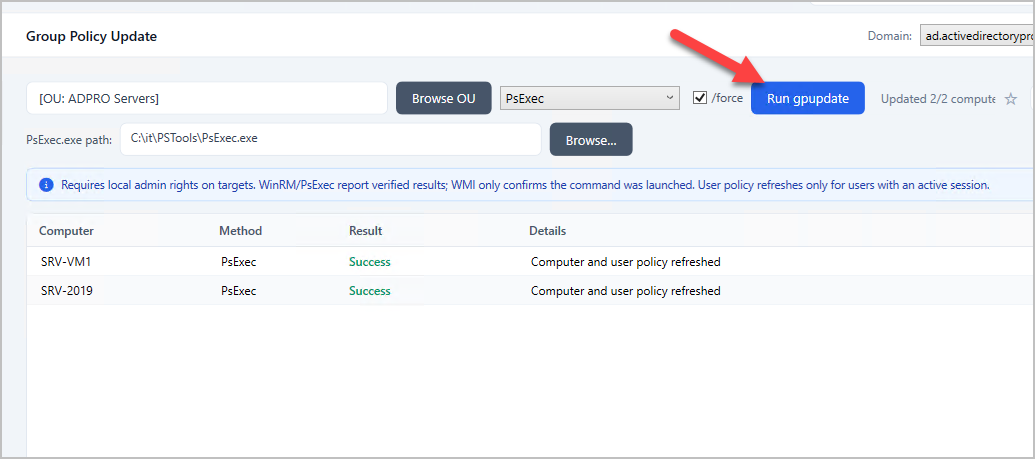
Refresh Group Policy on Remote Computers with AD Pro Toolkit
The Group Policy Update tool lets you refresh Group Policy on remote computers on demand, instead of waiting up to 90 minutes for the next automatic update. Target a single computer, or an entire OU, choose how the command is delivered, and review the result for each machine.
Requirements
Section titled “Requirements”Before using the Group Policy Update tool, make sure the following are in place:
General
Section titled “General”- Local administrator rights on the target computers (the account running AD Pro Toolkit, or the credentials configured for your domain).
- Network connectivity to the target computers, with the relevant firewall ports open (see the method-specific requirements below).
- Target computers must be powered on and reachable. Offline machines are reported automatically.
Method-specific
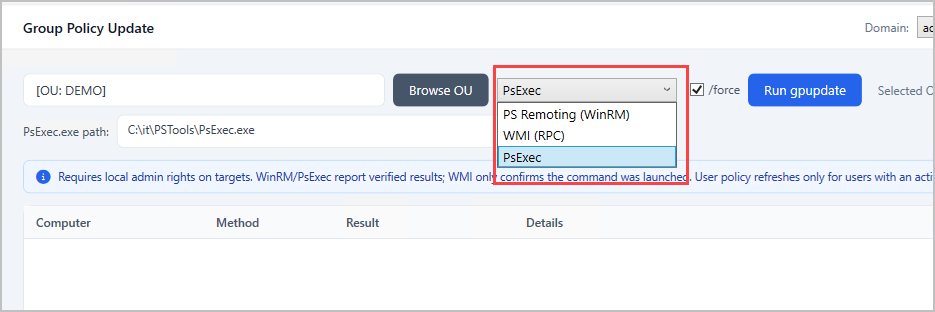
Section titled “Method-specific”The tool can send the update to remote computers in three different ways: PS Remoting, WMI, or PsExec. Each one connects over a different channel, so it has its own requirements. You only need to meet the requirements for the method you choose, not all three. If you’re not sure which to use, start with PS Remoting (WinRM), as it confirms whether the update actually completed on each computer.
- PS Remoting (WinRM): Windows Remote Management must be enabled on the target computers, with TCP port 5985 open. Recommended when you want a verified result for each machine.
- WMI (RPC): RPC must be reachable on TCP port 135 (plus the dynamic RPC range). This method confirms the command was launched but cannot verify that policy finished applying.
- PsExec: A copy of PsExec.exe (from Microsoft Sysinternals) is required; you point the tool at it the first time you use this method. The target’s admin$ share must be reachable over SMB (TCP port 445).
How to
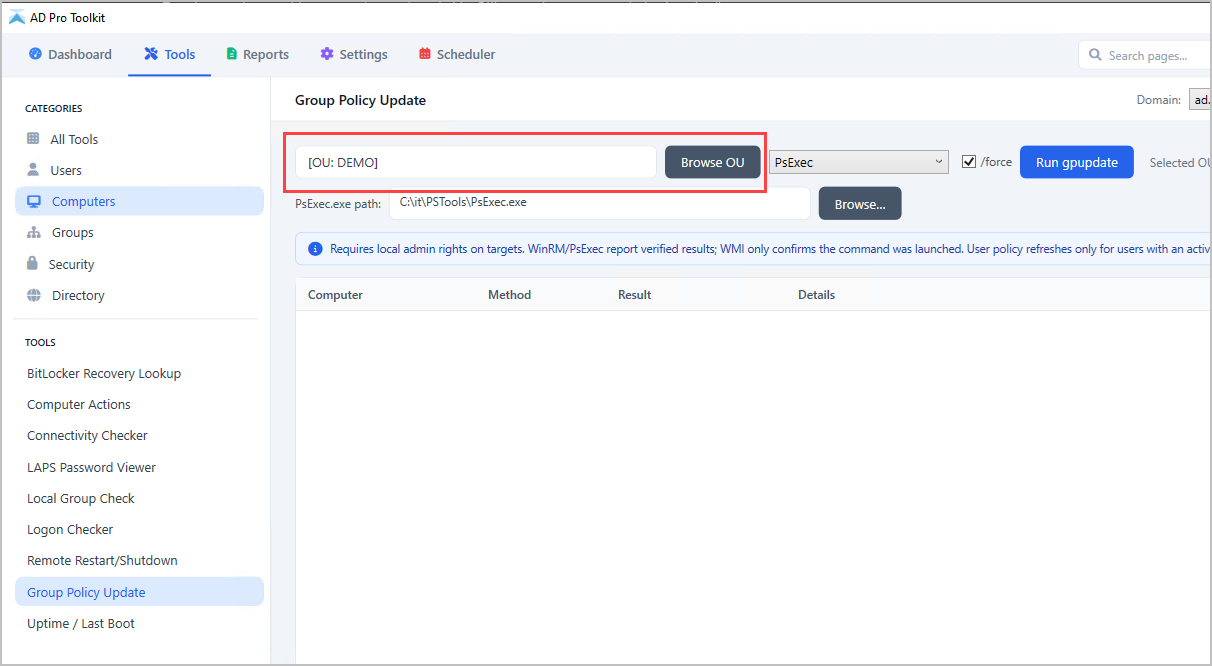
Section titled “How to”Step 1. Click on Computers > Group Policy Update
Step 2. Enter a computer or click browse to select an OU.
Step 3. Select the remote option
Step 4. Click run gpupdate button.