Active Directory User Templates
In this guide, I’ll show you how to create a single user in AD Pro Toolkit and how to use templates to automatically fill in default values like department, job title, OU, and group memberships so you’re not repeating the same steps every time.
Demo Video
Section titled “Demo Video”How to Create Active Directory Users
Section titled “How to Create Active Directory Users”Step 1. Click Tools > Users > Create Single User
Step 2. Create a User Template (Optional)
Templates save time when you frequently create users with the same values.
-
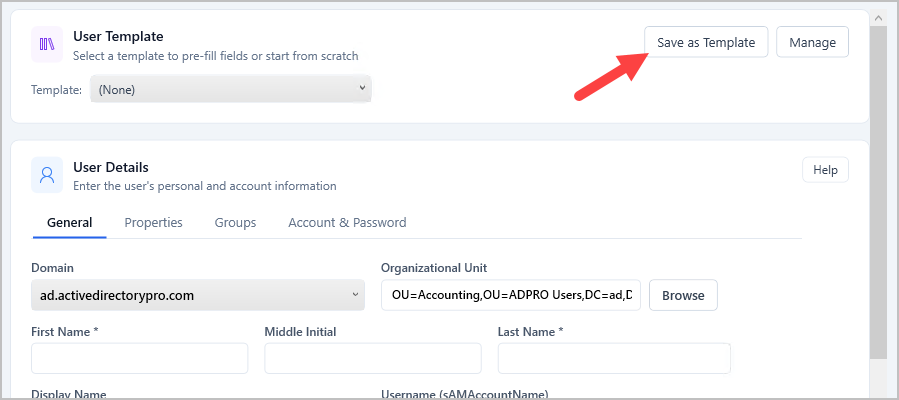
To create a template fill in the fields you want reused (Department, OU, Company, groups etc.) and click “Save as Template”
-
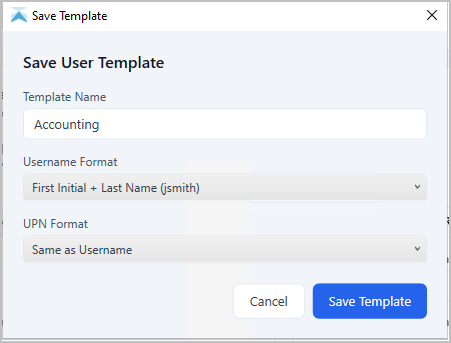
Give it a name and naming format
-
Click Save
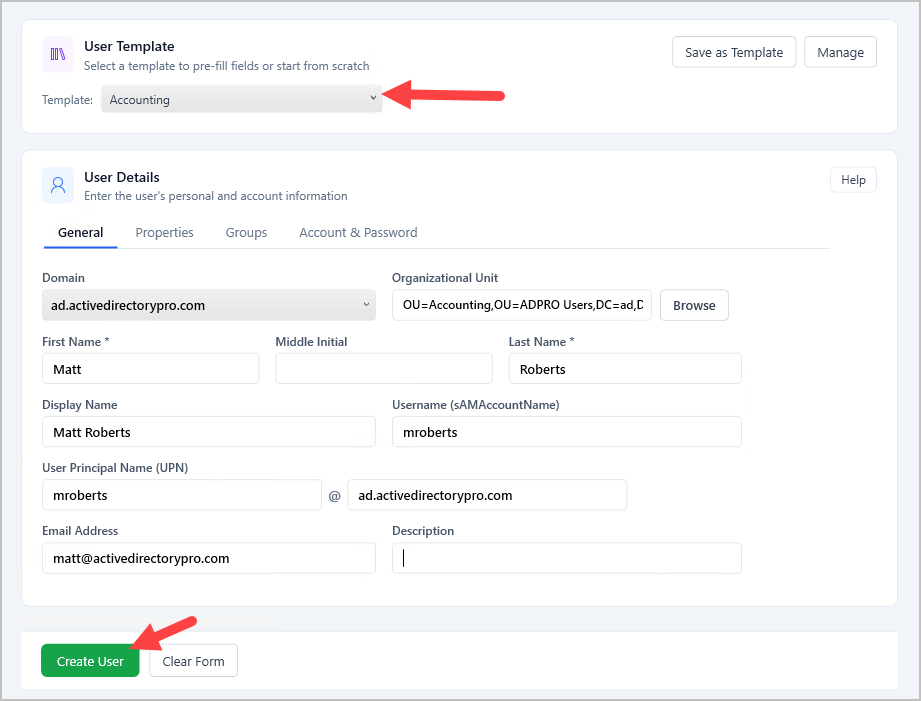
Step 3. To use a template select it from the dropdown. Fill out the form with user details and click “Create User”.
Share User Templates
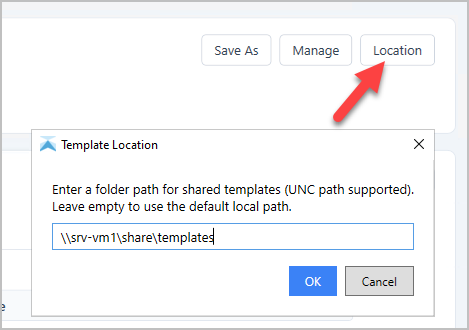
Section titled “Share User Templates”You can store the templates at a network location so multiple users can use the same templates.
- Click on Location”.
- Enter the UNC path to share templates