
Bulk Modify AD User Attributes with AD Pro Toolkit
Description
Section titled “Description”In this guide, you will learn how to bulk modify Active Directory users using the AD Pro Toolkit. Easily update multiple users at once and save time.
How to Bulk Modify Active Directory Users Users
Section titled “How to Bulk Modify Active Directory Users Users”Step 1. Click on Tools > Users > Update Users
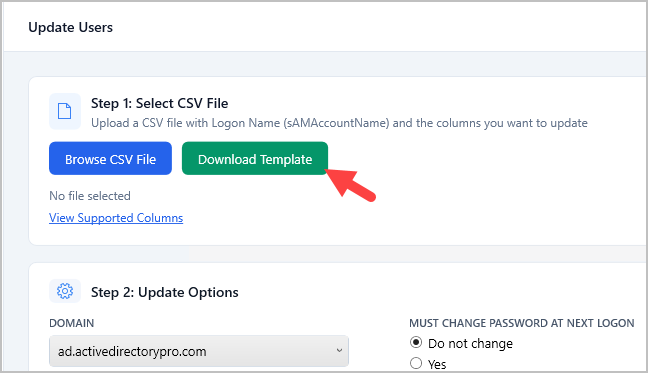
Step 2. Click “Download Template”
Tip: You can also export a list of users from the report section. This can quickly provide a list of users to update instead of starting from a blank template.
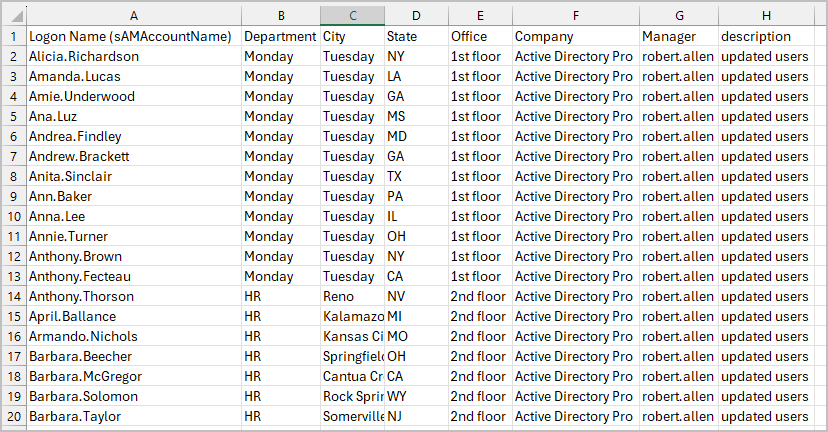
Step 3. Modify the CSV template and add the accounts and details that you want to update. You can remove any columns from the spreadsheet that you don’t need.
You can use one of the columns below to identify the accounts.
| Match Column | AD Attribute |
|---|---|
| Logon Name (sAMAccountName) | sAMAccountName |
| Display Name | displayName |
| User Principal Name | userPrincipalName |
| Employee ID | employeeID |
CSV Example: In this example, I’m going to update the description, office, city, state, title, department, manager and company. I’m using the Logon Name attribute to identify the accounts, I’ve also removed the columns I don’t need.
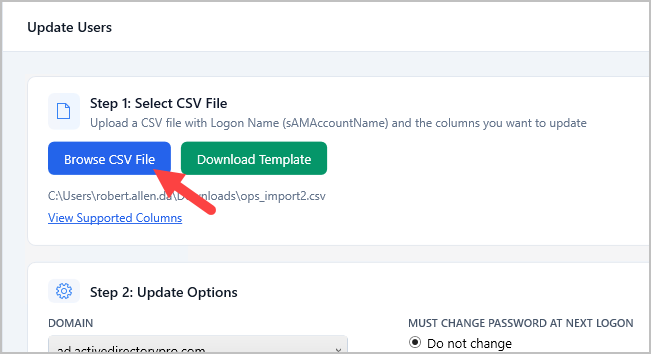
Step 4. Save your csv file then click “Browse CSV File” button and select your csv.
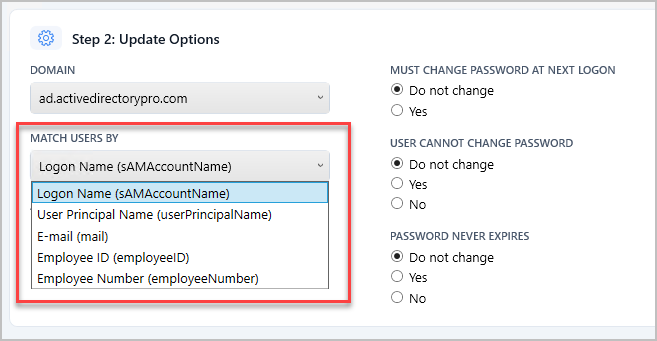
Step 5. Select Update Options (optional)
If you want to match users by a different column select it from the list. The column must exist in the CSV for it to match.
Step 6. Preview Changes (optional)
If you want to preview changes click the preview changes button. The preview will show you the users current value and what the new value will be.
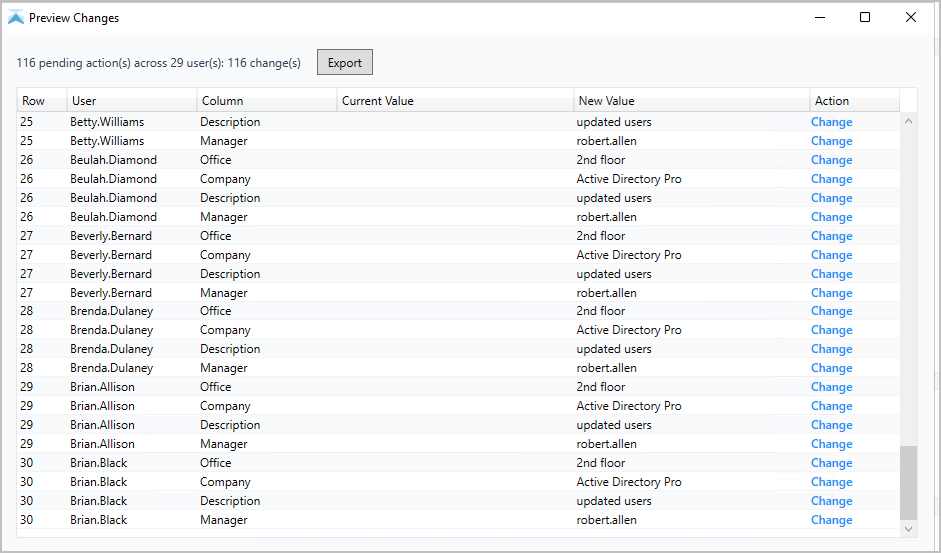
Step 6. Click “Update Users” button to start the update process.
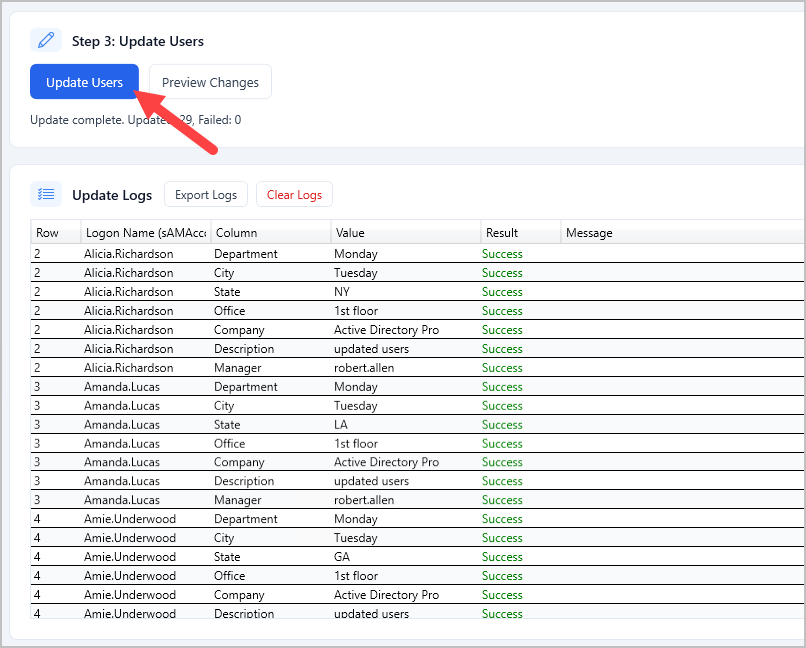
When the update is complete you will get a log with the results.
Remove User Attribute Values
Section titled “Remove User Attribute Values”To clear and attribute put {remove} for the value in the csv.
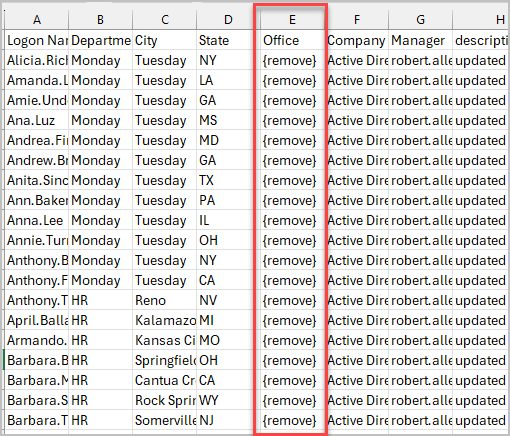
Support Columns and Attributes
Section titled “Support Columns and Attributes”List of supported headers and aliases for the CSV file. If you need additional attributes please contact support.
| CSV Column | AD Attribute | Aliases |
|---|---|---|
| Logon Name (sAMAccountName) | sAMAccountName | User Logon Name, Username, User Name, Logon Name |
| First Name | givenName | FirstName |
| Last Name | sn | LastName |
| Display Name | displayName | |
| User Principal Name | userPrincipalName | UPN |
| Initials | initials | |
| Department | department | |
| City | l | |
| State | st | |
| Job Title | title | JobTitle |
| Office | physicalDeliveryOfficeName | |
| Country/Region | co | Country, Region |
| Company | company | |
| Description | description | |
| Manager | manager | |
| Telephone Number | telephoneNumber | Telephone, Phone, PhoneNumber, Phone Number |
| Email, EmailAddress, Email Address | ||
| Street | streetAddress | |
| P.O. Box | postOfficeBox | POBox, PO Box |
| Zip / Postal Code | postalCode | Zip, ZipCode, Zip Code, Postal Code |
| Profile Path | profilePath | |
| Logon Script | scriptPath | |
| Home Folder (Connect) | homeDrive | |
| Home Folder (Path) | homeDirectory | |
| Home Phone | homePhone | |
| Mobile | mobile | MobilePhone, Mobile Phone, Cell, Cell Phone, CellPhone |
| Fax | facsimileTelephoneNumber | |
| IP Phone | ipPhone | IPPhone |
| Employee ID | employeeID | |
| Employee Number | employeeNumber | Employee # |
| Hidden from Address List | msExchHideFromAddressLists | HiddenFromAddressList, Hidden |
| Proxy Addresses (email aliases) | proxyAddresses | ProxyAddresses, Proxy Addresses |
| extensionAttribute1–15 | extensionAttribute1–15 |