Copy User Group Memberships in Active Directory
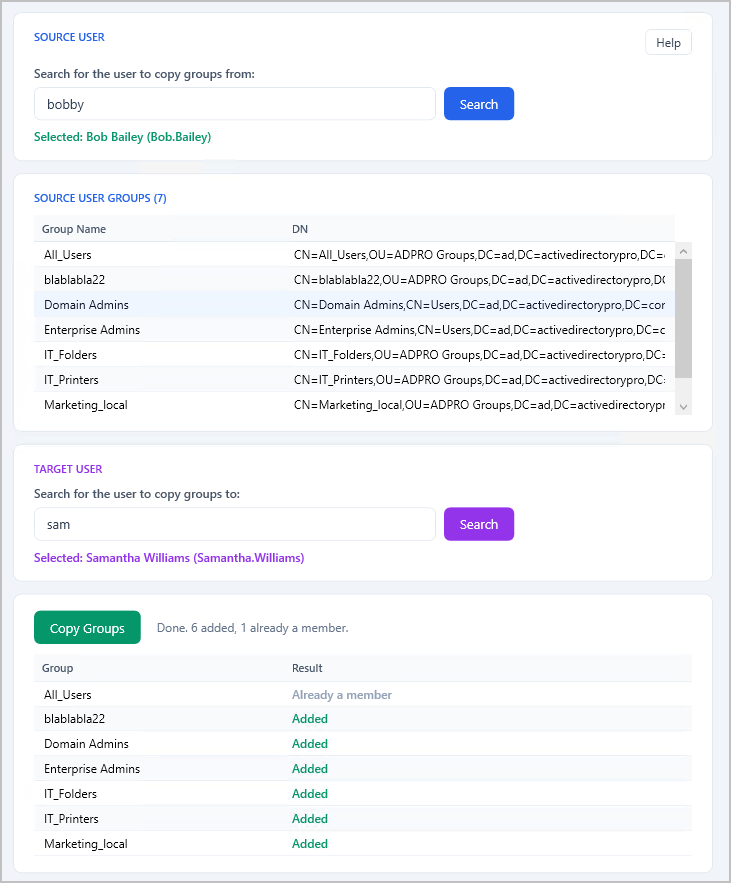
The AD Pro Toolkit lets you replicate security and distribution group memberships from one Active Directory user account to another. Instead of manually adding a new employee to dozens of groups, simply select a source account and the tool instantly copies all group memberships to the destination accounts.
How to Copy AD Group Membership
Section titled “How to Copy AD Group Membership”Step 1. Click on Tools > Groups > Copy User Groups
Step 2. Select a Source User. This is the account you want the group membership to be replicated to another accounts.
Step 3. Select The Target User. This will be the accounts you want the source accounts group membership copied to.
Step 4. Click “Copy Groups” to replicate the group membership.