Create Active Directory Users with AD Pro Toolkit
AD Pro Toolkit includes a simple but powerful Active Directory user creation tool that lets you simplify user creation. Use the built-in template system to auto fill in commonly used fields.
How to Create Active Directory Users
Section titled “How to Create Active Directory Users”Step 1. Click Tools > Users > Create Single User
Step 2. Create a User Template (Optional)
Templates save time when you frequently create users with the same values.
-
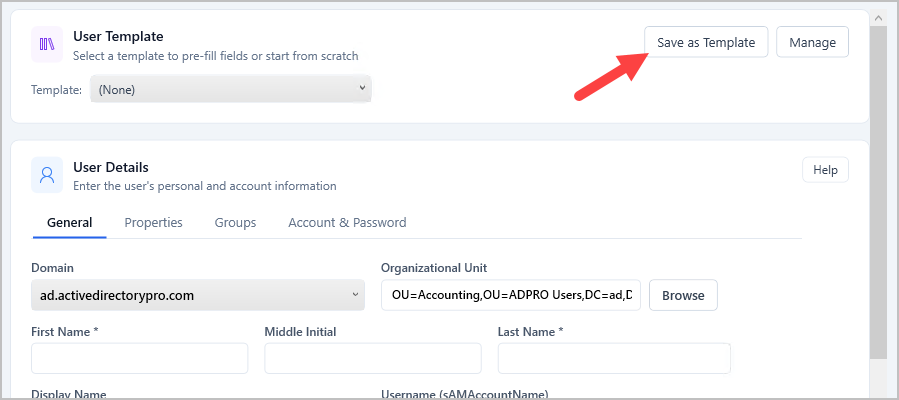
To create a template fill in the fields you want reused (Department, OU, Company, groups etc.) and click “Save as Template”
-
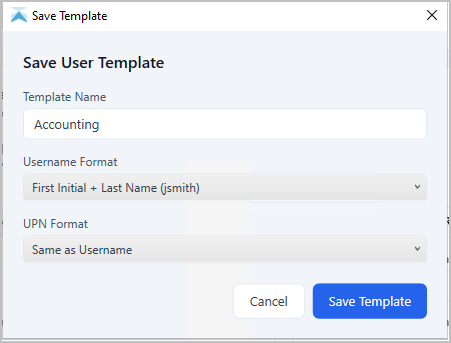
Give it a name and naming format
-
Click Save
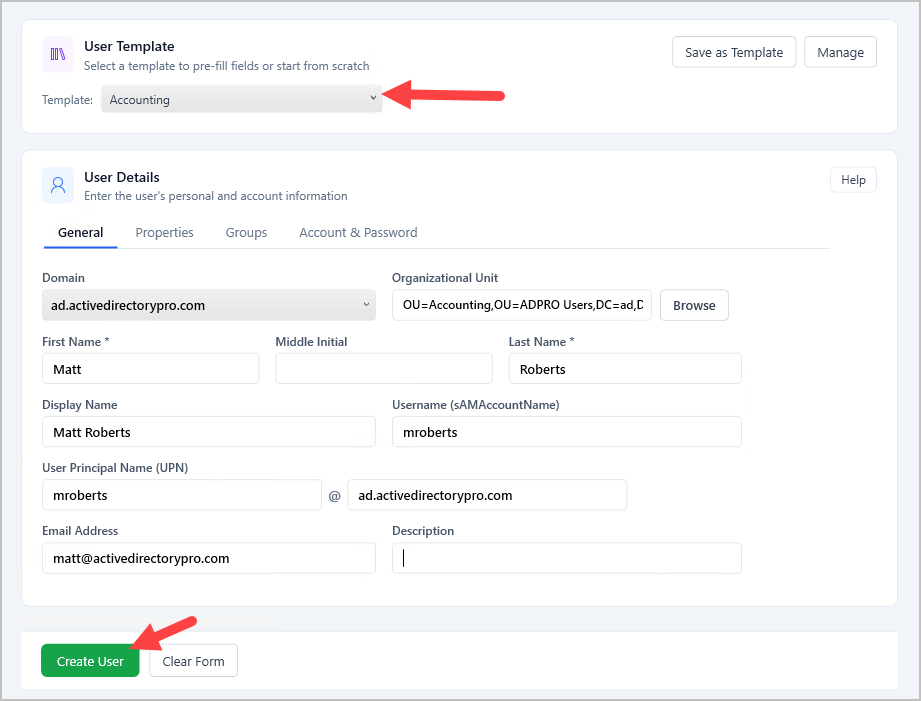
Step 3. To use a template select it from the dropdown. Fill out the form with user details and click “Create User”.
Share User Templates
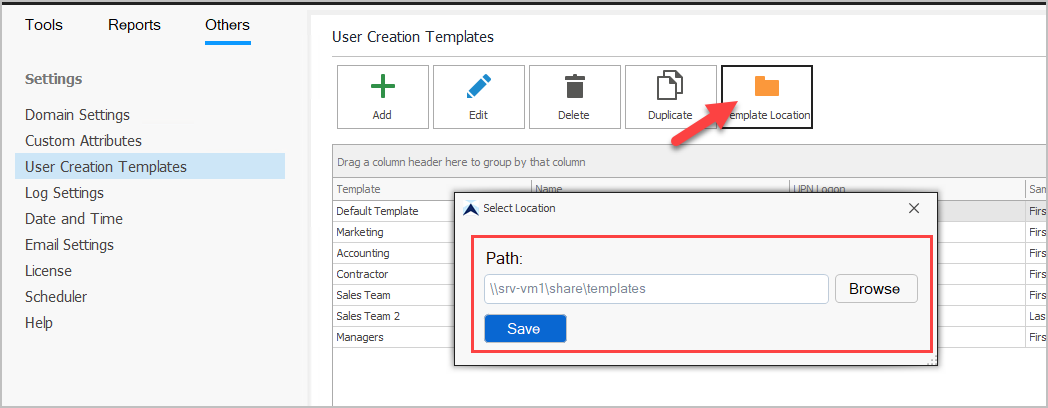
Section titled “Share User Templates”You can store the templates at a network location so multiple users can use the same templates.
- Click on Others and then “User Creation Templates”.
- Click the “Template Location” button.
- Browse or enter a location to save the templates.