Find Service Accounts in Active Directory with AD Pro Toolkit
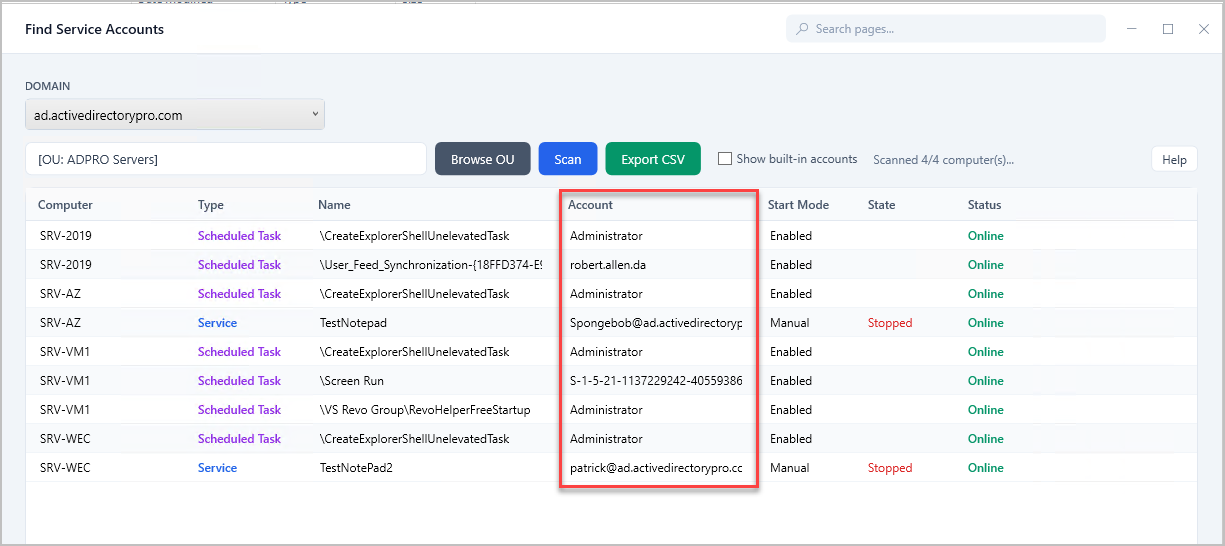
The AD Pro Toolkit can scan domain joined computers and reports the accounts running scheduled tasks and windows services. This tool can help track down where service accounts are used in your network.
Requirements
Section titled “Requirements”- WMI needs to be open on the target computers: This is blocked by default if you have the windows firewall enabled.
- Administrator rights on the target computers
How to Find Service Accounts
Section titled “How to Find Service Accounts”Step 1. Click on Tools > Security > Find Service Accounts
Step 2. Click “Browse” to select an OU
Step 3. Click “Scan”
Note: By default, built-in accounts is unchecked. This excludes account such as “System” and “Local Service” that exists on every windows machine. If you want to include them just check the box.
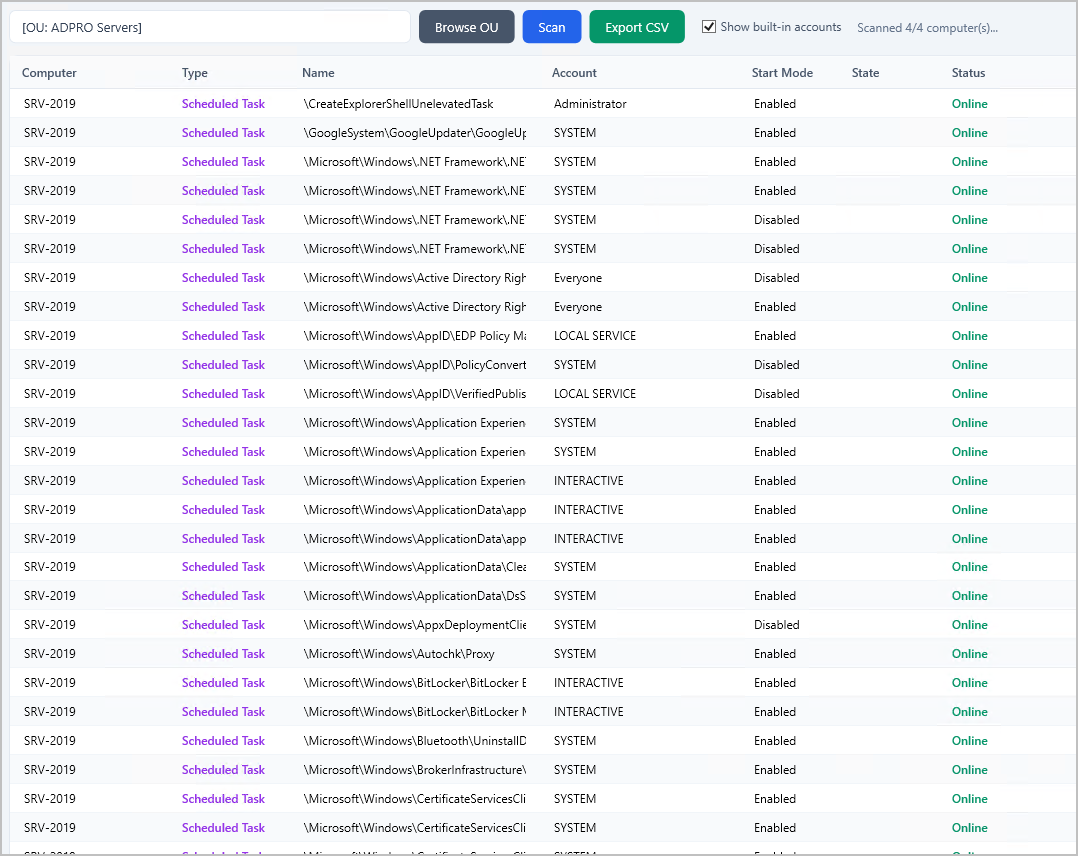
Here is a screenshot with “Show built-in accounts” selected.