
Import Users into Active Directory from CSV
In this guide, you will learn how to bulk import Active Directory users using the AD Pro Toolkit. Save time by creating multiple AD user accounts from a csv file.
How to Bulk Import AD Users
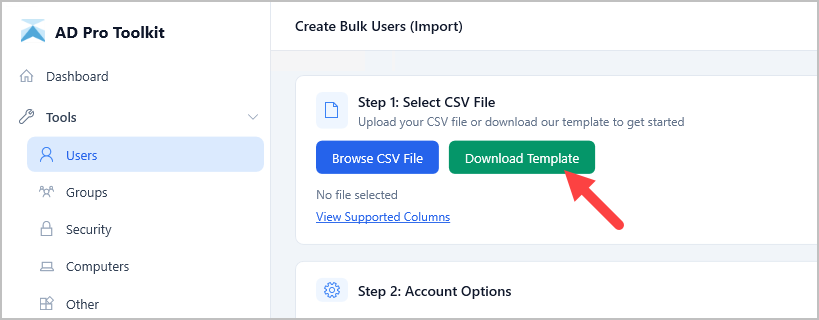
Section titled “How to Bulk Import AD Users”Step 1. Click on Tools > Users > Create Bulk Users (Import)
Step 2. Click on Download Template
Step 3. Modify the CSV template with details about the users you want to create.
Required Columns:
- Logon Name (sAMAccountName)
- First Name
- Last Name
- OU
- Password - if password is not provided in the CSV, the app generates a random password.
CSV Example:
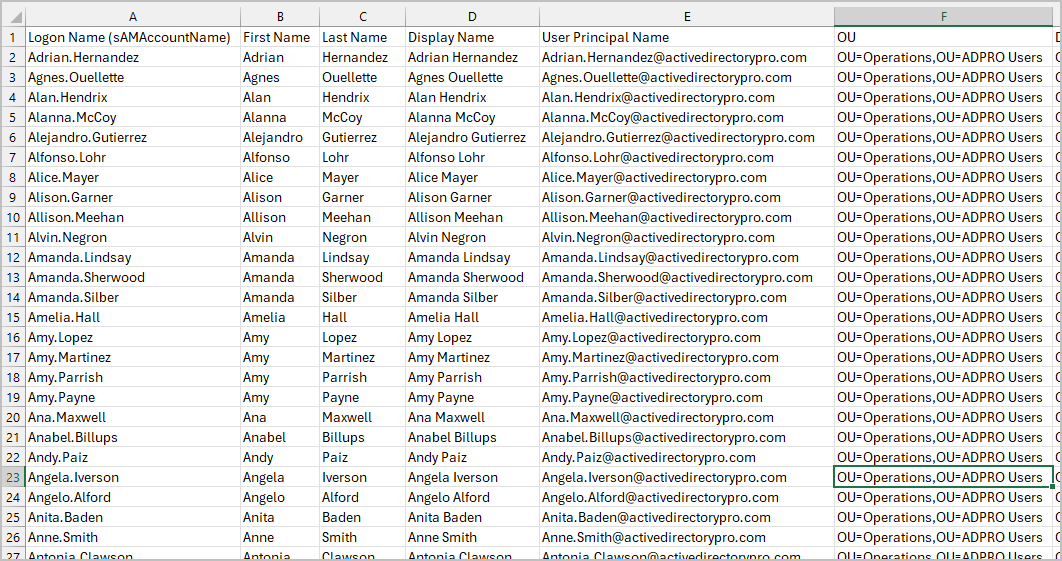
Save your template.
Step 4. Browse and select your CSV file.
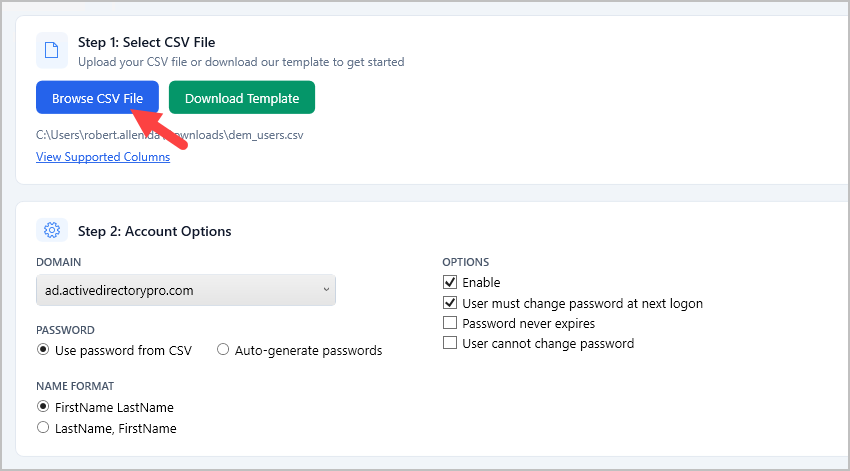
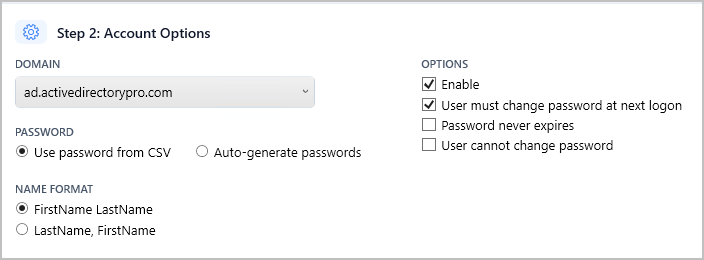
Step 5. Select Account Options
Change the account options or leave the default settings.
Step 6. Click Preview (Optional)
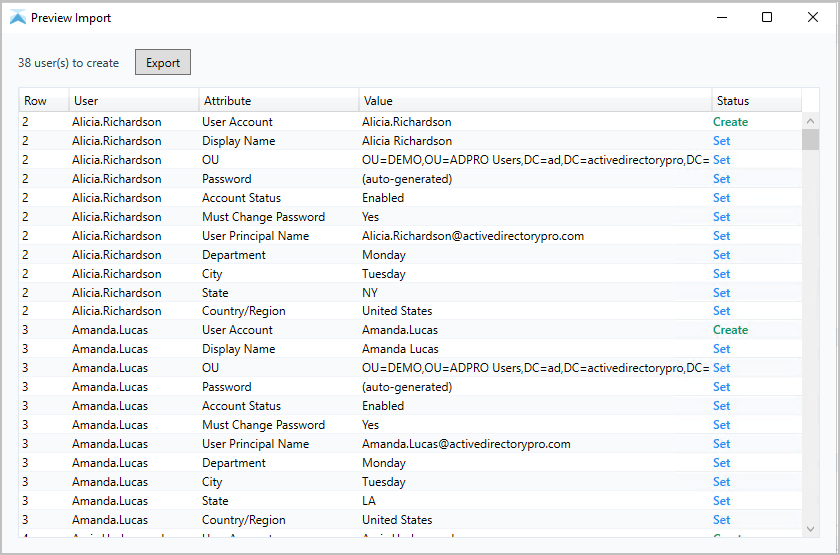
If you want to validate and preview your CSV click the preview button. This option will check your csv for any issues and preview what will be created and set for each user.
Step 7. Import Users
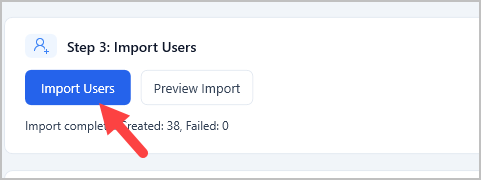
Click “Import Users” to start the import.
If you selected to auto generate password you will get prompted to save a csv that includes the users logon name and password.
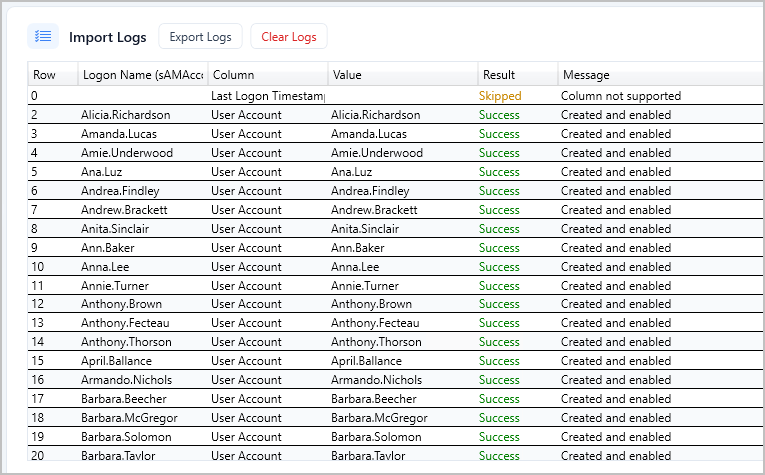
Review the logs for any errors.
Support Attributes
Section titled “Support Attributes”List of supported headers and aliases for the CSV file. If you need additional attributes please contact support.
| CSV Header | LDAP Attribute | Aliases | Required |
|---|---|---|---|
| Logon Name (sAMAccountName) | sAMAccountName | User Logon Name, Username, User Name, Logon Name | Yes |
| First Name | givenName | FirstName | Yes |
| Last Name | sn | LastName | Yes |
| Display Name | displayName | No | |
| User Principal Name | userPrincipalName | UPN | No |
| Password | unicodePwd | No | |
| Initials | initials | No | |
| OU | Yes | ||
| Member Of | memberOf | Groups, Group Membership | No |
| Department | department | No | |
| City | l | No | |
| State | st | No | |
| Job Title | title | JobTitle | No |
| Office | physicalDeliveryOfficeName | No | |
| Country/Region | co | Country, Region | No |
| Manager | manager | No | |
| Company | company | No | |
| Description | description | No | |
| Telephone Number | telephoneNumber | Telephone, Phone, PhoneNumber, Phone Number | No |
| Email, EmailAddress, Email Address | No | ||
| Street | streetAddress | No | |
| P.O. Box | postOfficeBox | POBox, PO Box | No |
| Zip / Postal Code | postalCode | Zip, ZipCode, Zip Code, Postal Code | No |
| Profile Path | profilePath | No | |
| Logon Script | scriptPath | No | |
| Home Folder (Connect) | homeDrive | No | |
| Home Folder (Path) | homeDirectory | No | |
| Home Phone | homePhone | No | |
| Mobile | mobile | MobilePhone, Mobile Phone, Cell, Cell Phone, CellPhone | No |
| Fax | facsimileTelephoneNumber | No | |
| IP Phone | ipPhone | IPPhone | No |
| Proxy Addresses (email aliases) | proxyAddresses | ProxyAddresses, Proxy Addresses | No |
| Employee ID | employeeID | No | |
| Employee Number | employeeNumber | Employee # | No |
| Hidden from Address List | msExchHideFromAddressLists | HiddenFromAddressList, Hidden | No |
| extensionAttribute1–15 | extensionAttribute1–15 | No |