Find Local Admins with AD Pro Toolkit
The AD Pro Toolkit makes it easy to find who has local admin rights on their computer. Over time, local admin rights are often over-assigned and forgotten, this tool gives you a clear view of who has access, so you can identify unnecessary permissions and reduce your attack surface.
Requirements
Section titled “Requirements”- WMI needs to be open: This is blocked by default if you have the windows firewall enabled.
- Administrator rights on the target computers
How to Find Local Admins
Section titled “How to Find Local Admins”Step 1. Click on Tools > Security > Local Admin Report
Step 2. Click “Browse OU” and select and OU
Step 3. Click “Scan”.
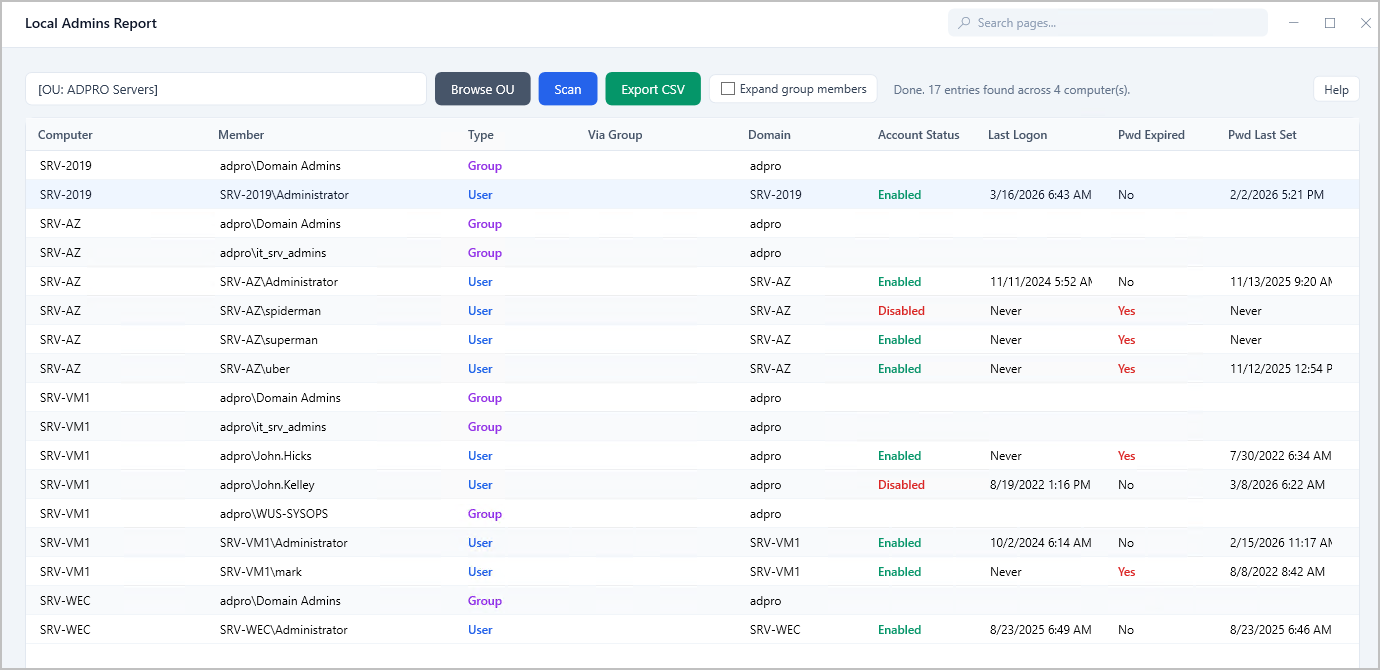
You will get a list of computers and the members of the local administrator group.
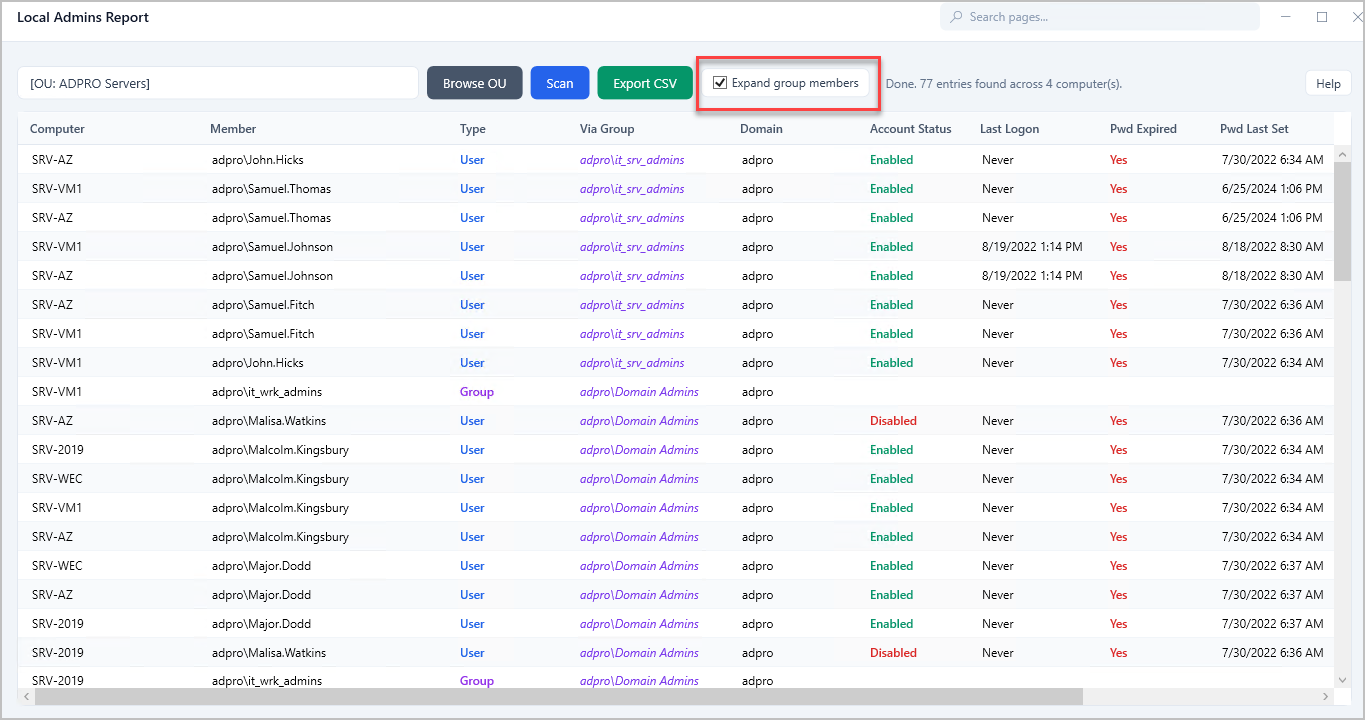
If a member is a group you can see the members of those groups by clicking “Expand Group Members” and re-run the report.