Bulk Update Active Directory Group Members
The AD Pro Toolkit lets you bulk add or remove users from Active Directory groups using a simple CSV file. Instead of updating group memberships one at a time, you can manage multiple users and groups in a single operation. This helps to save time and reducing errors when managing group memberships across your organization.
How to Bulk Add Users to Groups
Section titled “How to Bulk Add Users to Groups”Step 1. Click on Tools > Groups > Bulk Group Membership
Step 2. Click on “Download Template”
Step 3. Enter group and user details into the csv
- Group = The name of the group
- Member = The logon name of the user. Separate by semi colin
CSV Example
Section titled “CSV Example”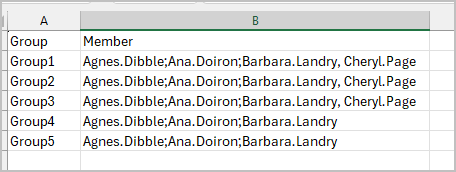
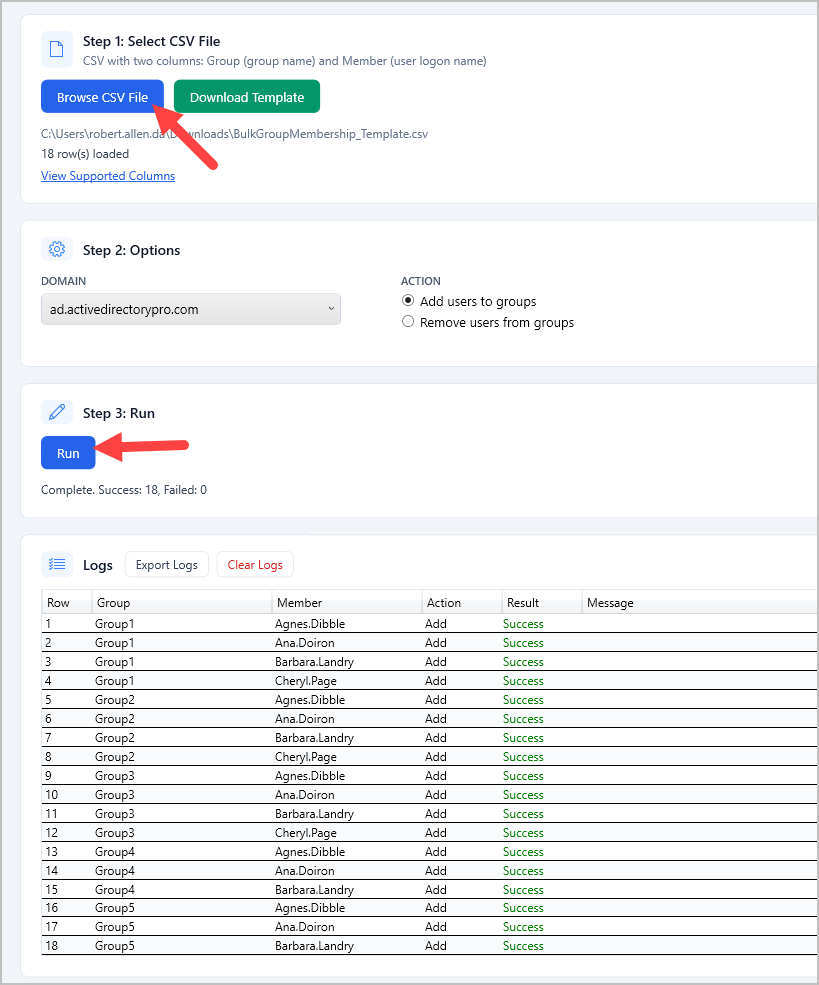
Step 4. Click “Browse CSV File” select your csv file
Step 5. Click “Run”.
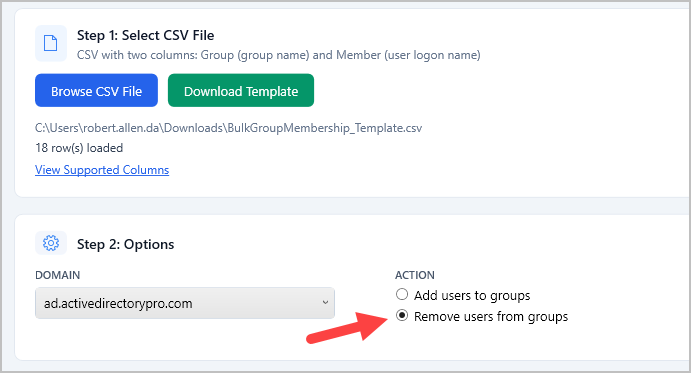
Bulk Remove Users from Groups
Section titled “Bulk Remove Users from Groups”Select “Remove users from groups” and follow the same steps as above.