
Local Certificate Report
Description
Section titled “Description”The Local Certificate Report is designed to quickly analyze a Windows system and display all locally installed digital certificates. The tool scans certificate stores across the operating system—including user, machine, and service-level stores—and presents the results in an organized, easy-to-navigate interface. For each certificate, it provides key details such as issuer, subject, expiration date, thumbprint, key usage, and certificate store location. Ideal for system administrators, security professionals, and support technicians, this tool simplifies certificate management, troubleshooting, and compliance checks
Requirements
Section titled “Requirements”- WMI needs to be open: This is blocked by default if you have the windows firewall enabled.
- Administrator rights on the target computers
How to
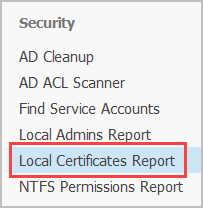
Section titled “How to”Step 1. Click on “Local Certificates Report”
Step 2. Click “Browse” to select an OU or click “Run” to scan all domain joined computers.
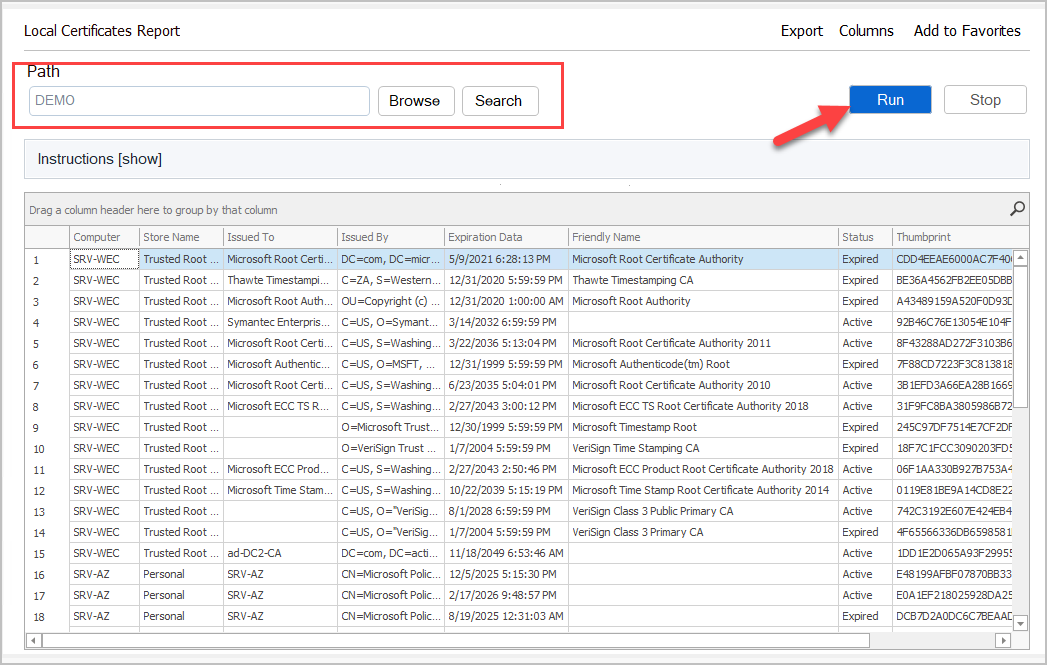
The report includes the following columns:
- Computer
- Store Name
- Issue To
- Issues By
- Expiration Date
- Friendly Name
- Status
- Thumbprint
Step 3. To export the report click the “Export” button.