Active Directory Export Tool
Description
Section titled “Description”The Active Directory Export Tool is a simply utility designed to export Active Directory objects to csv. With a single, easy-to-use interface, administrators can export users, computers, groups, organizational units (OUs), and Group Policy Objects (GPOs) directly to clean, structured CSV files. The tool supports customizable attribute selection, allowing you to capture exactly the data you need for audits, compliance, inventory management, migrations, and day-to-day administrative tasks.
Features
Section titled “Features”- Export All
- Export Users
- Export Groups and group membership
- Export OUs
- Export group policy objects
How to
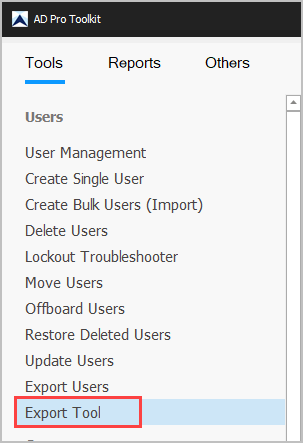
Section titled “How to”Step 1. Click on “Export Tool”
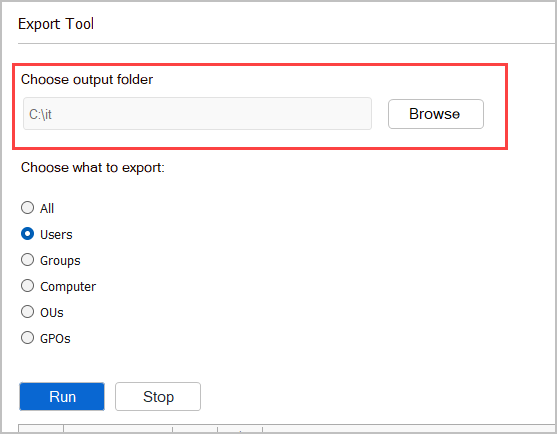
Step 2. Choose a folder to save the export data.
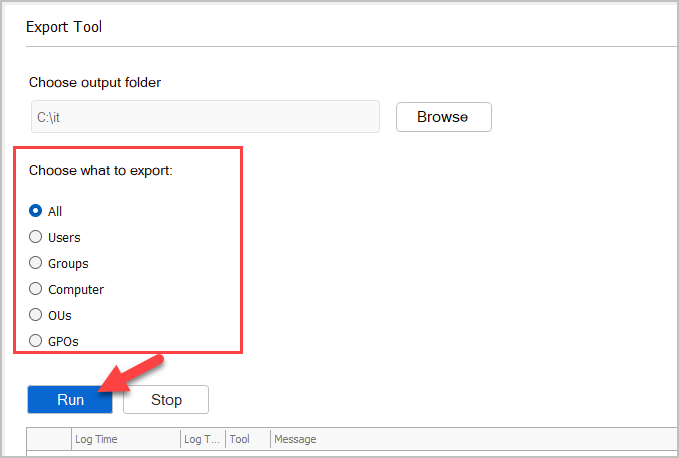
Step 3. Choose what to export and click “Run”.
Note: Depending on what you selected and how many objects you have it could take several minutes to complete.
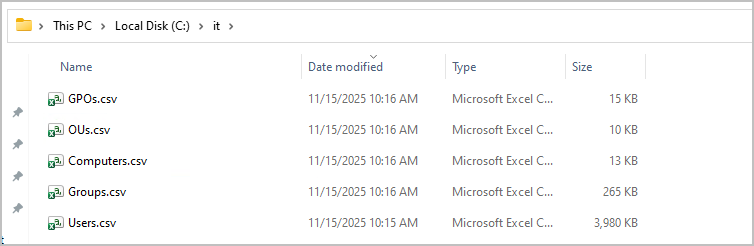
When complete you will have a csv export of each option selected.