Role-Based Access Control in AD Pro Toolkit
Role-Based Access Control
Section titled “Role-Based Access Control”AD Pro Toolkit includes built-in role-based access control that lets you restrict which features are available to different users. By default, all features are accessible to Domain Admins and Enterprise Admins. You can delegate access to specific AD security groups so that help desk staff, HR, or junior admins only see the tools they need.
Video Demo
Section titled “Video Demo”How to Setup Role based Access
Section titled “How to Setup Role based Access”- Create one or more of the groups below and add a user to the group.
- When a user opens the app it checks their group membership and limits their access.
Full Access
Section titled “Full Access”| AD Group Name | Access Level |
|---|---|
| ADProToolkit-Admin | Full access to all features |
Section Access
Section titled “Section Access”| AD Group Name | Access Level |
|---|---|
| ADProToolkit-Tools | All tools |
| ADProToolkit-Reports | All reports |
| ADProToolkit-ScheduledReports | Scheduled reports |
| ADProToolkit-Settings | Settings pages |
Tool-Specific Access
Section titled “Tool-Specific Access”| AD Group | Access Level |
|---|---|
| ADProToolkit-ToolsUsers | All tools in the Users section |
| ADProToolkit-ToolsGroups | All tools in the Groups section |
| ADProToolkit-ToolsSecurity | All tools in the Security section |
| ADProToolkit-ToolsComputers | All tools in the Computers section |
| ADProToolkit-ToolsOther | All tools in the Other section |
| ADProToolkit-PWReset | Password Reset & Unlock only |
- If a user is not a member of any
ADProToolkit-*group, they get full access (no restrictions applied). - Groups must be created as AD security groups in your domain.
Example
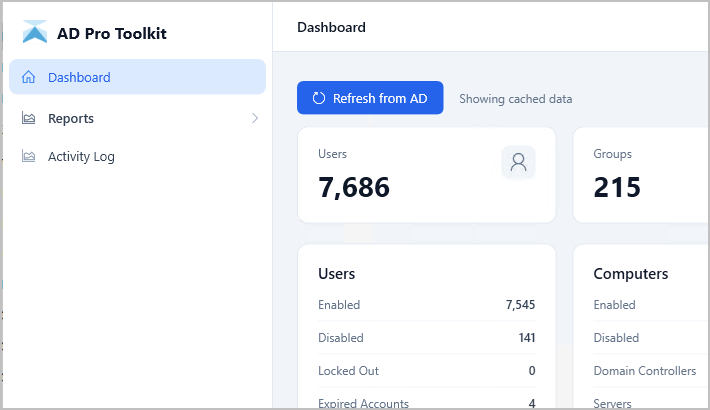
Section titled “Example”In this example, the user was added to the ADProToolkit-Reports group. When the user opens the app they will only have access to the reports section, tools and settings have been removed.