
Install AD Pro Toolkit
The AD Pro Toolkit installer is provided as an msi file. Follow the steps below to install the software.
Video Demo
Section titled “Video Demo”Install Steps
Section titled “Install Steps”Step 1. Click on ADProToolkit.msi to start the installation.
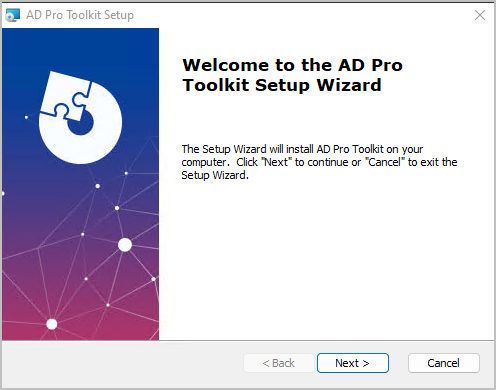
Step 2. Click “Next” on the welcome screen.
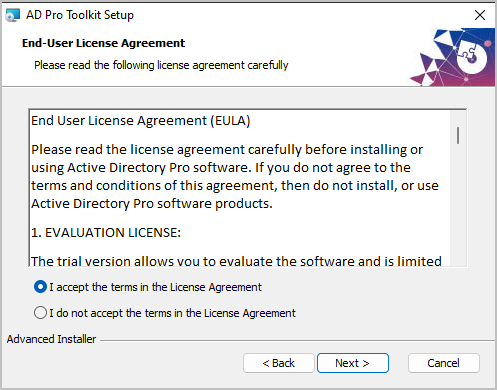
Step 3. Accept End-User License Agreement and click “Next”.
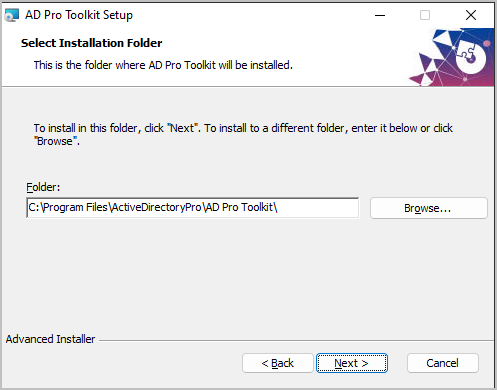
Step 4. Click “Next” on Installation folder. It is recommended to leave it at the default install path (C:\Program Files\ActiveDirectoryPro\AD Pro Toolkit).
Step 5: Click “Install” on the ready screen to start the installation.
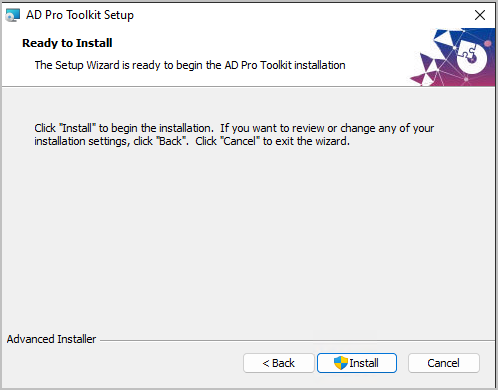
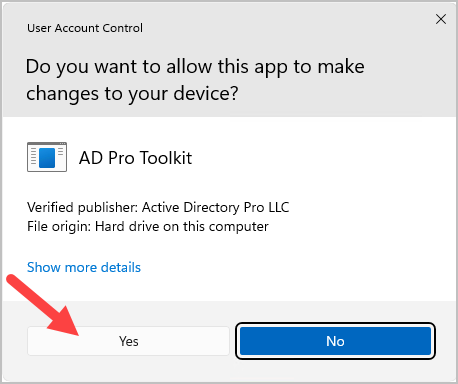
Note: You might get prompted by Windows User Account Control. Click Yes on this popup. Our software is digitally signed and is a verified publisher.
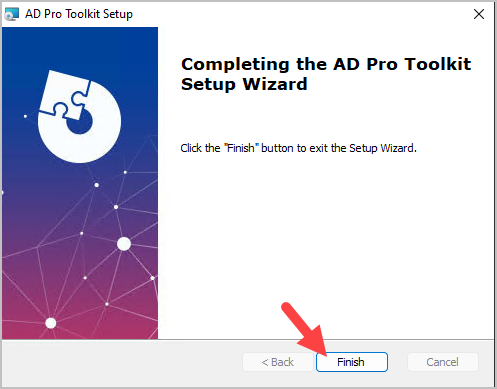
When the installation is completed click “Finish”. That completes the installation process. An icon will be added to the desktop for quick access.
You should now see thw icon on your desktop.

Silent install
Section titled “Silent install”You can do a silent install with this command.
msiexec /i c:\path\to\ADProToolkit.msi /quiet /qn